
Review Board has always been about helping teams ship the best products they can, products they can be proud of, from code to release.
We've always believed people are crucial to the development process, whether your role in your project is to write code, manage agents, craft product documentation, inspect reports, or keep your IT infrastructure from falling apart at just the wrong moment. In this era of AI development, we believe it more than ever.
Today, we're introducing Review Board 8, which brings the following people-focused features:
-
New review capabilities
With pinned Quick Access review actions, text spell checking and writing assistance, and enhanced interdiff filtering, Review Board 8 helps developers more quickly review code from fellow teammates and AI agents alike.
-
Office Document Review
Upload, review, and even diff documents, spreadsheets, presentations, or PDFs from Microsoft Office, Google Docs, LibreOffice, or others.
-
Forgejo, GitLab CI, and RB Gateway 2.0 for on-prem
Whether you're fully on-prem today, or planning to be in the future, Review Board's built to integrate with and enhance the tools you run. That now includes the popular Forgejo source code hosting platform, GitLab CI for automated builds and tests, and RB Gateway 2 for self-managed Git repositories.
-
User roles
Track who (or what) in your organization is participating in code reviews, and build automations and auditing rules around them.
-
Bundled feature and support plans
We've simplified our add-on support and Power Pack options into simple, self-managed plans to ease purchasing. The paid plans provide new toys for your developers and managers, and give your IT the peace of mind they need.
-
Deeper extension capabilities
Extensions allow companies to tailor Review Board for their own needs today instead of relying on a company to respond to your feature request someday, using little more than a Python script. Craft policy, add UI, enforce workflow, and more.
We've built out many new extension capabilities based on customer requests. Lots to explore.
Let's take a tour of some of the big new features in Review Board 8.
Introducing Review Board Plus and Enterprise
Review Board has always offered add-on support contracts and additional features. We've now bundled these offerings into three plans:
-
Review Board Community Edition
The same open source Review Board you've always used, with support managed by your own team.
-
Review Board Plus
Review Board with Basic Support included for weekday assistance for your IT team, plus: Office Document Review, Reports, User roles, improved server scalability, and integrations with enterprise-grade source code management solutions such as Azure DevOps, Bitbucket Data Center, GitHub Enterprise, and ClearCase. Plus more coming soon.
-
Review Board Enterprise
All the features of Review Board Plus, with Premium Support covering 24/7/365 emergency repair, priority bug fixes, custom builds and backports, extension development assistance, and video/phone chat (by appointment).
We're your IT team's IT team. If there's an emergency and they can't sleep, we can't sleep. And we like our sleep.
If upgrading to Review Board 8, you can stay on your existing Review Board Community Edition or upgrade to Review Board Plus or Enterprise with the features and support you need. If you're an existing support or Power Pack customer, contact us to migrate your license to Review Board 8.
Monthly and annual payment options are available. Cancel any time. Multi-year discounts are available upon request (contact sales@beanbaginc.com).
Office Document Review
Review Board can now be used to review documents, presentations, and more, whether those documents are files you've uploaded from your desktop or included in a commit.
Review Board 8 can show documents from the following:
- Microsoft Office
- Google Docs
- LibreOffice/OpenOffice
- All PDF documents
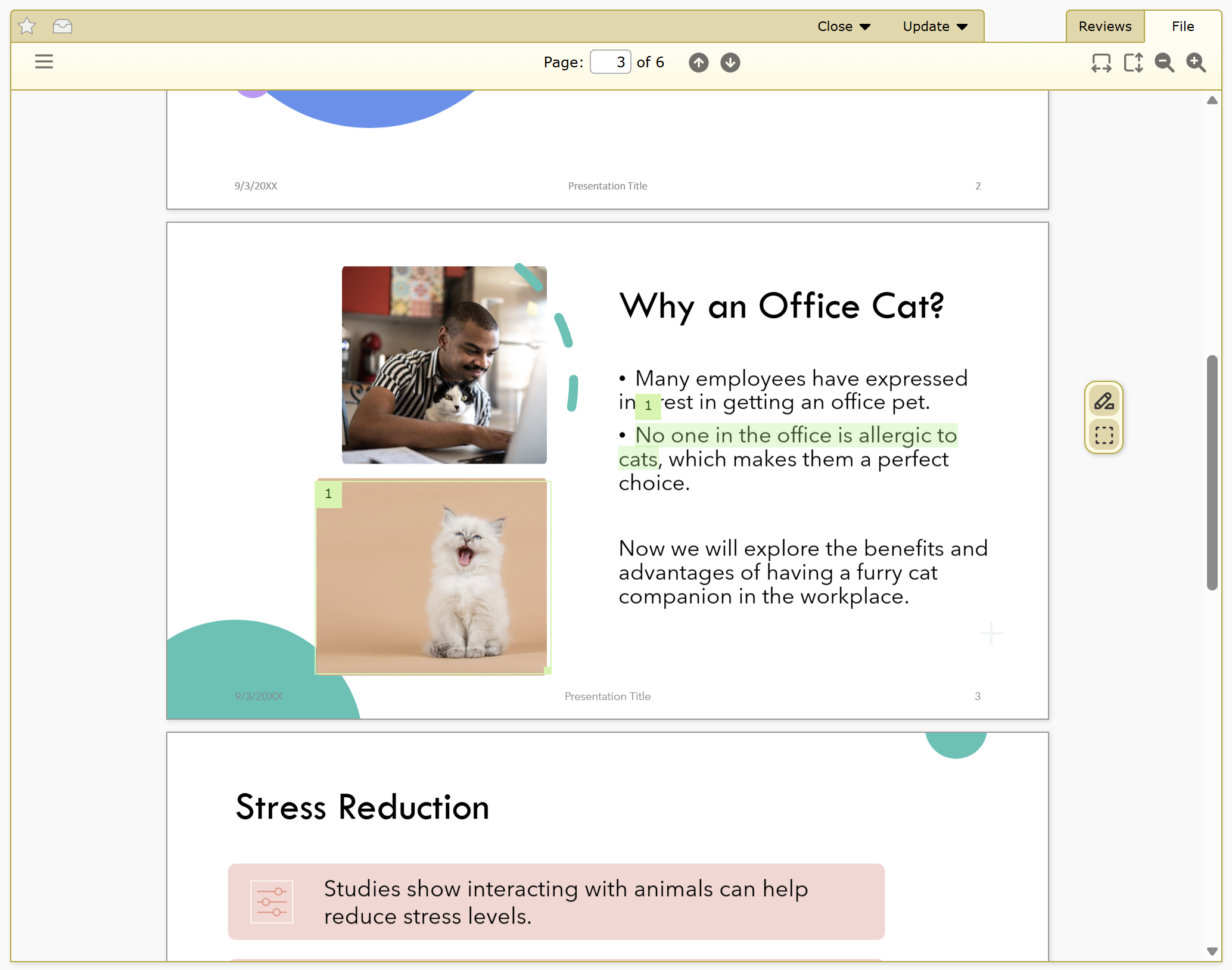
Comments can be made by selecting text or by drawing a box over a region of the document and leaving a comment.
Reviewers can see a diff between each update of a document, showing a side-by-side view that highlights all of the text changes.
Office Document Review is included with Review Board Plus and Enterprise. Learn more.
User Roles
User Roles are a flexible way to identify a user's responsibilities and position in an organization, and help craft policy and automation rules. It can also be used to differentiate between people and AIs.
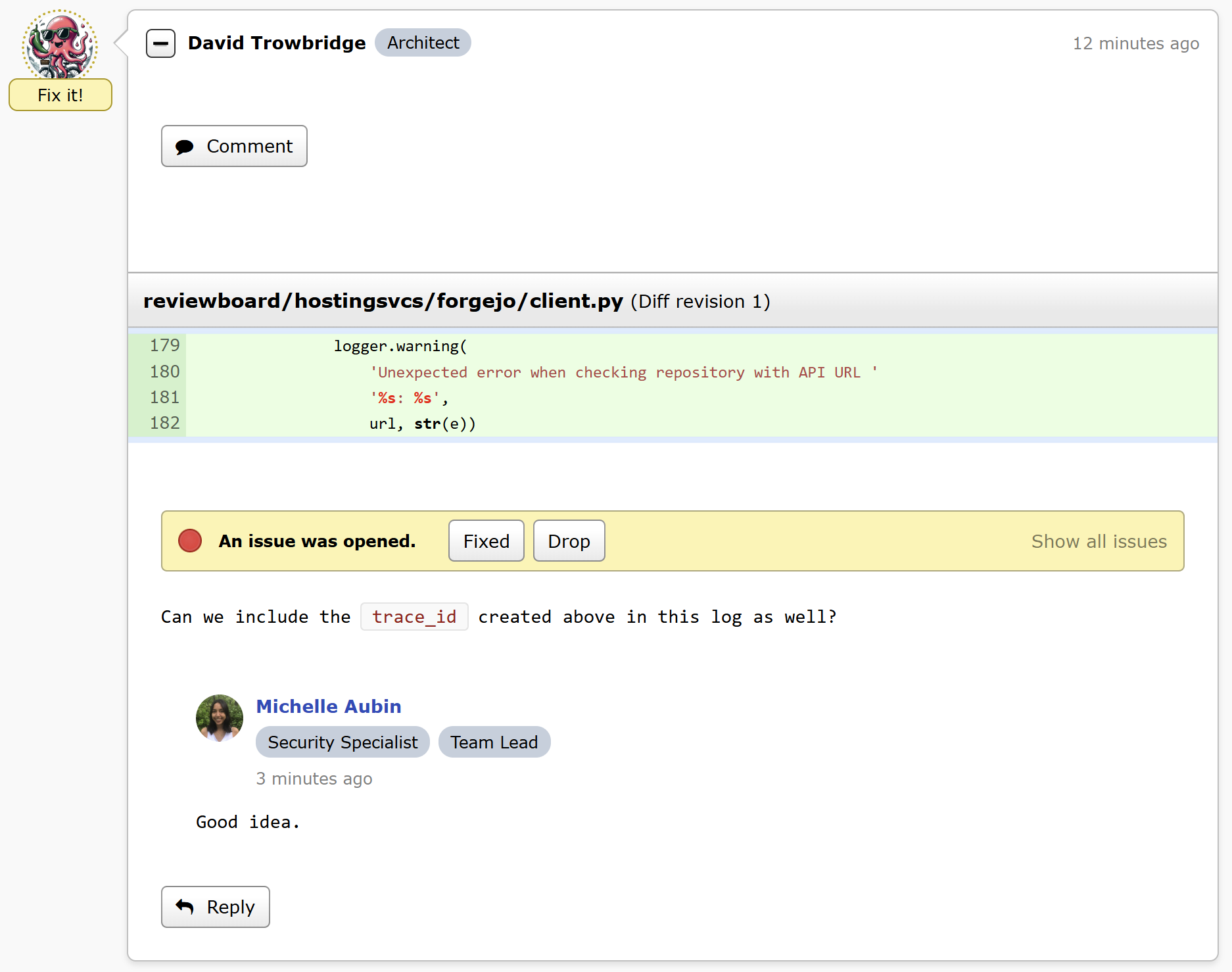
They can also be used by extension authors to draft custom policy.
User Roles are included with Review Board Plus and Enterprise. Learn more.
Writing Assistance — Spell Checking, Dictation, AI
You can now use your browser's built-in writing assistance features, including spell checking, voice dictation, AI rewriting, and any other capabilities you would normally have available to help write text.
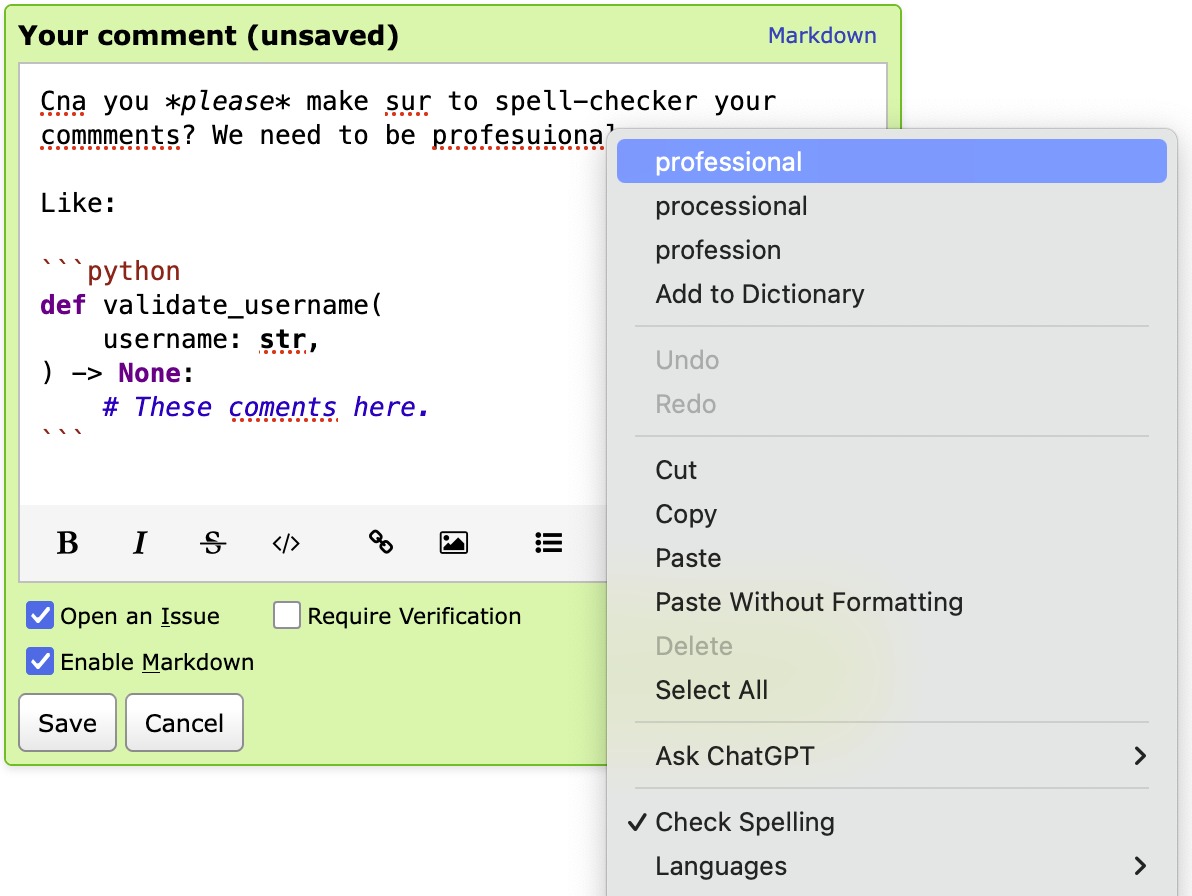
This is available when writing a comment, a review request description, or any other text field in a review or review request.
This feature is dependent on your browser, and is experimental. To enable it:
- Go to My Account -> Settings.
- Click Enable writing assistance for Markdown text fields.
Quick Access Actions
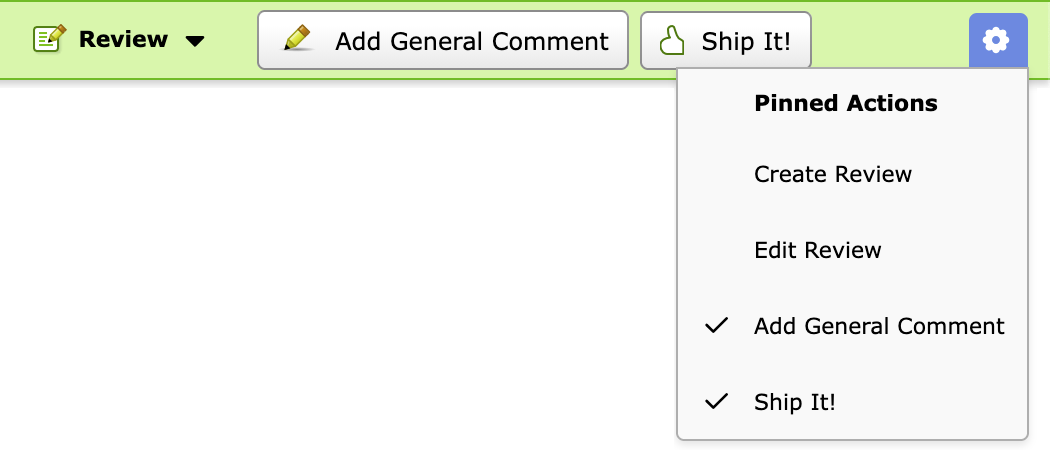
You can now pin your most frequently-used review-related actions to your Review Banner.
Enhanced Extensions
When crafting your own approval logic for landing changes, you can include the user's roles. Give junior engineers one set of criteria, senior engineers another. Make sure the CTO requires three Ship It!s before landing, not one. Your choice.
New condition choices can be built for triggering builds, conducting AI review, notifying Slack, or performing other automations.
The actions framework has been reworked. You can now build your own Quick Access actions, or add to the administration UI's navigation!
Build your own page banners to put important notices at the top of pages. Notify your users of upcoming downtime, give contractors specific instructions, or anything else you may need.
These are just a few of the new additions available to extension authors.
Plus...
- Dark Mode throughout the product, matching your system theme by default
- Ship It! confirmation that you can enable or disable
- Enhanced interdiff filtering v3 keeps you focused on the changes made since the code owner's last upload, even if there are upstream changes.
- SSL/TLS certificate management helps you use on-prem services with self-signed certificates and in-house Certificate Authorities without messing with the operating system's cert storage.
- CIDR subnets for health checks allow monitoring of container and server health without hard-coding each IP.
- Performance improvements all throughout the product.
And that's not even all of it. See the release notes for the full list.
Let's get started!
To learn more about upgrading your server, see our upgrade instructions.
You can also use our official Docker images for easy deployment.
We hope you enjoy Review Board 8! If you're not already using Review Board today, learn how you can upgrade your code review, and contact us if you have any questions. There's a lot more still to come.