• Get Review Board
  • What's New
  • Products
  • Review Board Code review, image review, and document review
  • Documentation
  • Release Notes
  • Power Pack Enterprise integrations, reports, and enhanced document review
  • Try for 60 Days
  • Purchase
  • RBCommons Review Board as a Service, hosted by us
  • Pricing
  • RBTools Command line tools and Python API for Review Board
  • Documentation
  • Release Notes
  • Review Bot Automated code review, connecting tools you already use
  • Documentation
  • Release Notes
  • RB Gateway Manage Git and Mercurial repositories in your network
  • Documentation
  • Release Notes
  • Learn and Explore
  • What is Code Review?
  • Documentation
  • Frequently Asked Questions
  • Support Options
  • Third-Party Integrations
  • Demo
  • Take Review Board to the next level with Power Pack

    • Review and diff documents, spreadsheets, presentations, and more — with traceability and audit-ready review history
    • Configure user roles for identification, enhanced approval flows, and automation rules
    • Track productivity with reports and statistics on your organization's code review process
    • Connect to repositories on AWS CodeCommit, Azure DevOps, Azure DevOps Server / TFVC, Bitbucket Data Center, ClearCase, GitHub Enterprise, HCL DevOps Code ClearCase, and Keysight SOS

    Power Pack is included in paid on-prem Review Board plans and in the Business RBCommons (hosted) plan.

    View on-prem plans or View hosted plans

    Standalone licenses are available for existing installs. Contact sales@beanbaginc.com or manage your license.
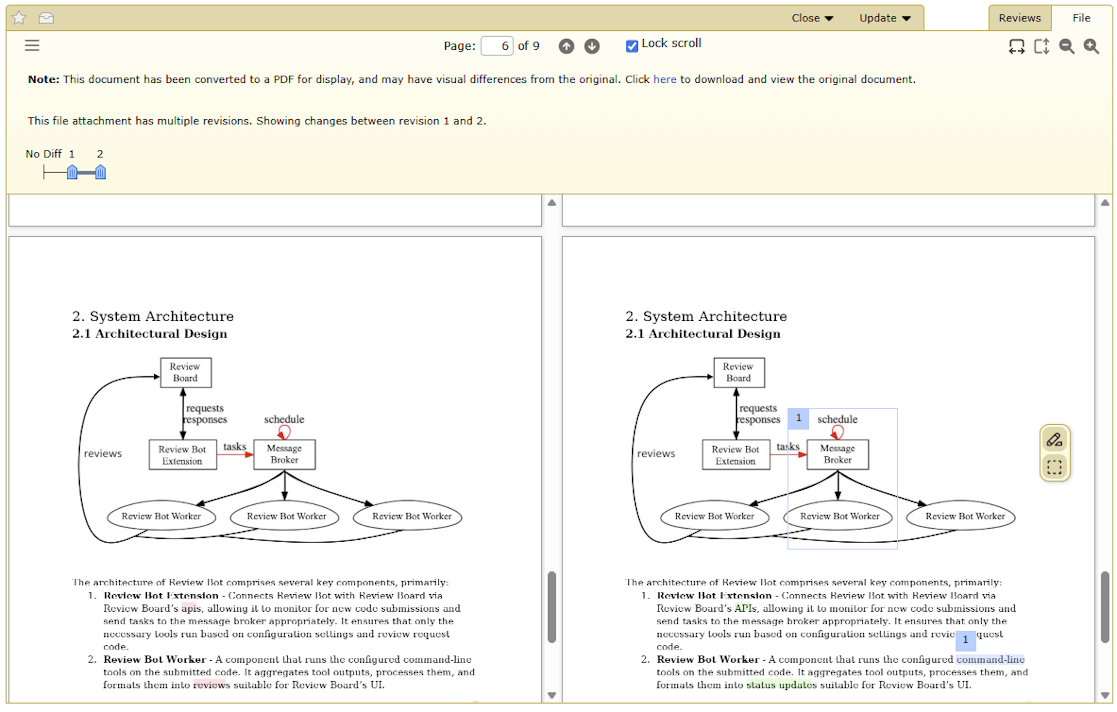
    Review documents and designs, not just code

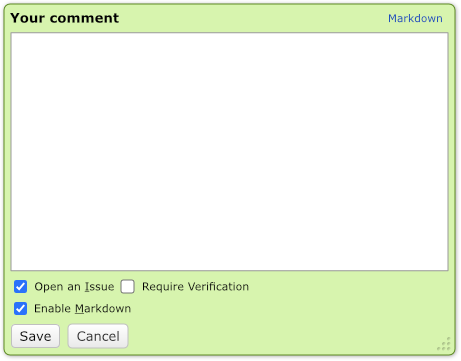
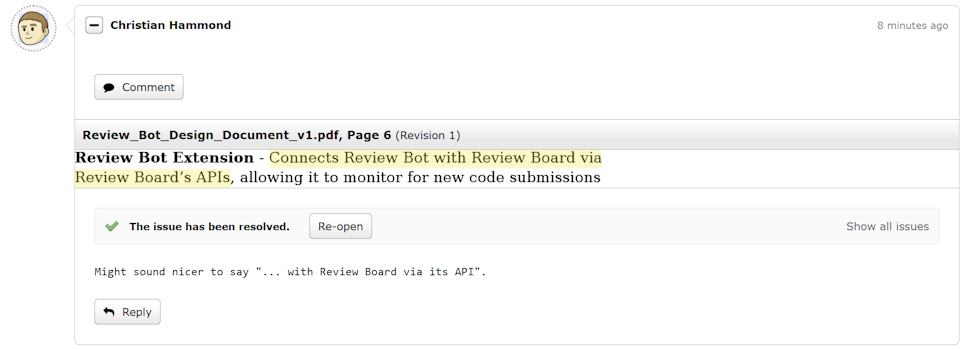
    Text selection comment dialog
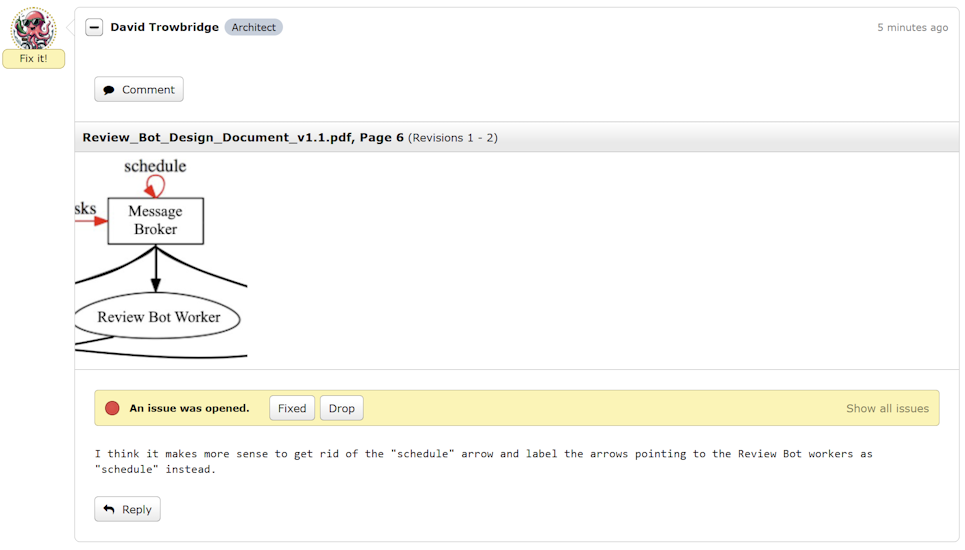
    Screenshot of a document being reviewed

    Whether a document lives in your source tree or is uploaded directly to a change, Document Review brings it into the same powerful, lightweight workflow used for code. Review design specs, safety requirements, and architecture diagrams right alongside the code they describe.

    Documents can be diffed to show exactly what changed between revisions, keeping reviews focused and efficient. Highlight text or select regions to leave precise, contextual comments. Jump through the document using the table of contents or thumbnail previews.

    Document Review supports:

    • Microsoft Office documents (Word, Excel, PowerPoint)
    • OpenOffice/LibreOffice documents (Writer, Calc, Impress)
    • Google Workspace documents (Docs, Sheets, Slides)
    • PDF documents

    Traceability and audit-ready review history

    A review with a comment on text of a document A status update saying the review request changed A review with a comment on a diagram of a document

    No more passing around spec_final_v3_REAL(2).docx, reviews lost in inboxes or buried comment histories. Review Board preserves the full review context so you'll always know who reviewed what, when, and why. Every revision, comment, and approval is recorded and easily accessible, giving you a clear, audit-ready history of how a document evolved.

    Enhance review workflows with user roles

    A review from a person with an intern role A Slack notification of the review to an interns channel

    Team members have specific responsibilities and expertise that influence how code is reviewed and approved. User Roles make it easy to map those responsibilities, define approval flows, and craft automation rules. They enable powerful review policies, like ensuring every change is approved by at least one architect, or triggering a Slack notification whenever an intern publishes a review.

    Or, you can make roles for Commit Message Poets and Keyboard Shortcut Legends. We won't stop you.

    Track team productivity with reports

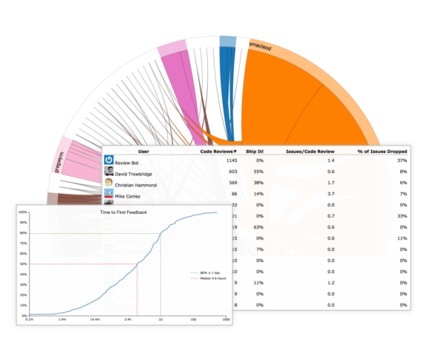
    Screenshot of Power Pack reports

    The best teams and organizations are always looking for ways to be more efficient, no matter how big or small they are. Our at-a-glance graphs will show you who is pulling their weight, how thoroughly code is being reviewed, and more. By getting insight into how your developers are taking advantage of code review, you can develop more cost-effective processes and policies, saving your team time and money.

    Plus, who doesn't like pretty pictures?

    Take advantage of enterprise-level features

    • AWS CodeCommit icon AWS CodeCommit
    • Azure DevOps icon Azure DevOps
    • Azure DevOps Server / TFVC icon Azure DevOps Server / TFVC
    • Bitbucket Data Center icon Bitbucket Data Center
    • ClearCase icon ClearCase
    • GitHub Enterprise icon GitHub Enterprise
    • HCL DevOps Code ClearCase icon HCL DevOps Code ClearCase
    • Keysight SOS icon Keysight SOS

    Premium repository support allows you to review your code on any of the above source code management solutions. Perfect for enterprises.

    Power Pack also includes facilities for storing auxiliary data like SSH keys in the database rather than on the front-end server's filesystem, which allows you to scale by spinning up additional servers as needed.

    Ready to upgrade your code review?

    Choose an on-prem plan or Sign up for hosting

    Standalone licenses are available for existing installs. Contact sales@beanbaginc.com or manage your license.
    Keep up with the latest Review Board releases, security updates, and helpful information.

    About
    News
    Demo
    RBCommons Hosting
    Integrations
    Happy Users
    Support Options
    Documentation
    FAQ
    User Manual
    RBTools
    Administration Guide
    Power Pack
    Release Notes
    Downloads
    Review Board
    RBTools
    Djblets
    Power Pack
    Package Store
    PGP Signatures
    Contributing
    Bug Tracker
    Submit Patches
    Development Setup
    Wiki
    Follow Us
    Mailing Lists
    Reddit
    Twitter
    Mastodon
    Facebook
    YouTube
    Copyright © 2006-2026 Beanbag, Inc. All rights reserved.
    Terms of Service — Privacy Policy — AI Ethics Policy — Branding