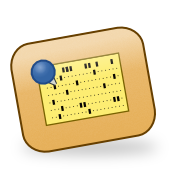
While an industry standard, we believe commenting on punch cards using
sticky notes is dated. For one thing, it's notoriously difficult to attach
them to a 7⅜″ × 3¼″ card.
Review Board replaces Post-it-based review with digital
column-accurate inline comments that let your team discuss each punched line
of code right in the browser!
Comment on the sequence fields in columns 1–6, the code area in
columns 7–72, or the identification fields in columns 73–80.
Comments are preserved across revisions and automatically resolved when
the offending columns are re-keyed.
Drop accidents are the leading cause of delayed projects, and we all go
through it. One moment you're carrying a freshly keyed COBOL program to the
card reader. The next, 400 cards are scattered across the computer room
floor. Without sequence numbers, you're spending the rest of the afternoon
sorting by hand.
Review Board's Drop Detection Engine (DDE) reads the sequence numbers in
columns 73–80 and automatically flags any cards that are out of order.
A single click applies the suggested sort order, and your review request is
back on track before your manager or the cleaning crew notices.
Decks without sequence numbers are handled gracefully via our
industry-leading "Good Luck!" fallback mode.
SEQUENCE CHECKVIEW DECK
#SEQ STATUS
1000010 OK
2000020 OK
3000050 △ SEQUENCE GAP (30)
4000030 △ OUT OF ORDER
5000040 △ OUT OF ORDER
6000060 OK (after reorder)
Native Hollerith encoding and EBCDIC support
Review Board's advanced text processing supports the latest in mainframe
standards. A dedicated Punch Card Viewer decodes Hollerith-encoded cards in
real time, displaying the decoded characters above each column so reviewers
never need to reach for their encoding reference chart again.
We offer full support for 12-row Hollerith encoding as used by the IBM 026
and IBM 029 keypunch machines, plus BCD variants and automatic
EBCDIC-to-Unicode transcoding throughout the interface. ASCII support is
also available for those few environments that understand it.
Review Board parses and highlights your punch card source automatically.
Column-sensitive rules enforce fixed-format conventions automatically, since
nothing ruins a FORTRAN review like accidentally starting a statement in
column 6 instead of column 7.
Built-in support is available for:
FORTRAN II and FORTRAN IV
COBOL 68 and COBOL 74
RPG II
BAL (IBM Basic Assembler Language)
JCL (Job Control Language)
PL/I
APL support is planned. However, we're still working out how to render
APL's special character set on terminals manufactured after 1983, so
please subscribe to be notified about future
updates.
CARD SYNTAX VIEWERVIEW DECK
000010 PROGRAMHELLOW
000020 WRITE(6,100) 'HELLO, WORLD'
000030 100 FORMAT(A)
000040 STOP
000050 END
Works with every classic system
Whether you're running a modern emulator or maintaining genuine legacy iron,
Review Board integrates seamlessly into your environment (provided you have
a modern environment). Use the new rbt post --cards
command to post an entire deck as a review request in a single batch job.
Don't see your system? Contact us.
We aim to support anything with a card reader, a card punch, and a
willingness to wait 45 minutes for a compile job.
Plug in any USB-to-punch-card adapter (sold separately; please check your
local mainframe distributor)
Run rbt post --cards to scan, OCR, and post your entire
deck as a review request automatically.
Compatible with the
IBM 2540 Card
Reader/Punch , IBM 029 Keypunch, and most
UNIVAC card readers
manufactured after 1962 (when using suitable adapters). Does not work with
Hollerith tabulating equipment manufactured before 1928, as USB was not yet
available.
* RBTools Card Reader Extension requires Python 2.4 or later.
Python 1.5 support available with the Legacy Enterprise Add-On.
† COBOL support requires a separate COBOL Enterprise License,
priced per-division. Divisions measured in compute-hours billed at
1964 Bureau of Labor Statistics rates.
‡ Drop detection requires sequence numbers in columns 73–80.
Decks without sequence numbers should be sorted manually, ideally not on
a Friday afternoon.